
Course:
Complete C++ Programming Course

In this lesson, you will learn.
Here’s the first program in C++: “Printing a line of text,” followed by a detailed explanation of its components.
#include<iostream>
// This is a using directive that allows us to use names from the std namespace
using namespace std;

// This is a multi-line comment:
/*
   This program prints "Hello, World!" to the console.
   It demonstrates the basic structure and syntax of a C++ program.
*/

int main() {  // The main function: Where the execution starts.
    cout << "Hello, World!" << endl;

    return 0;
}
Now, let’s break down each element of this program:
// or /* ..... */. The comments in C++ can be of the following two types.

iostream standard library in the program.iostream is a header file and contains definitions for input/output (I/O) stream objects like cin (for input stream), cout (for output stream), cerr (for output stream of errors), and clog (for the output stream of logs).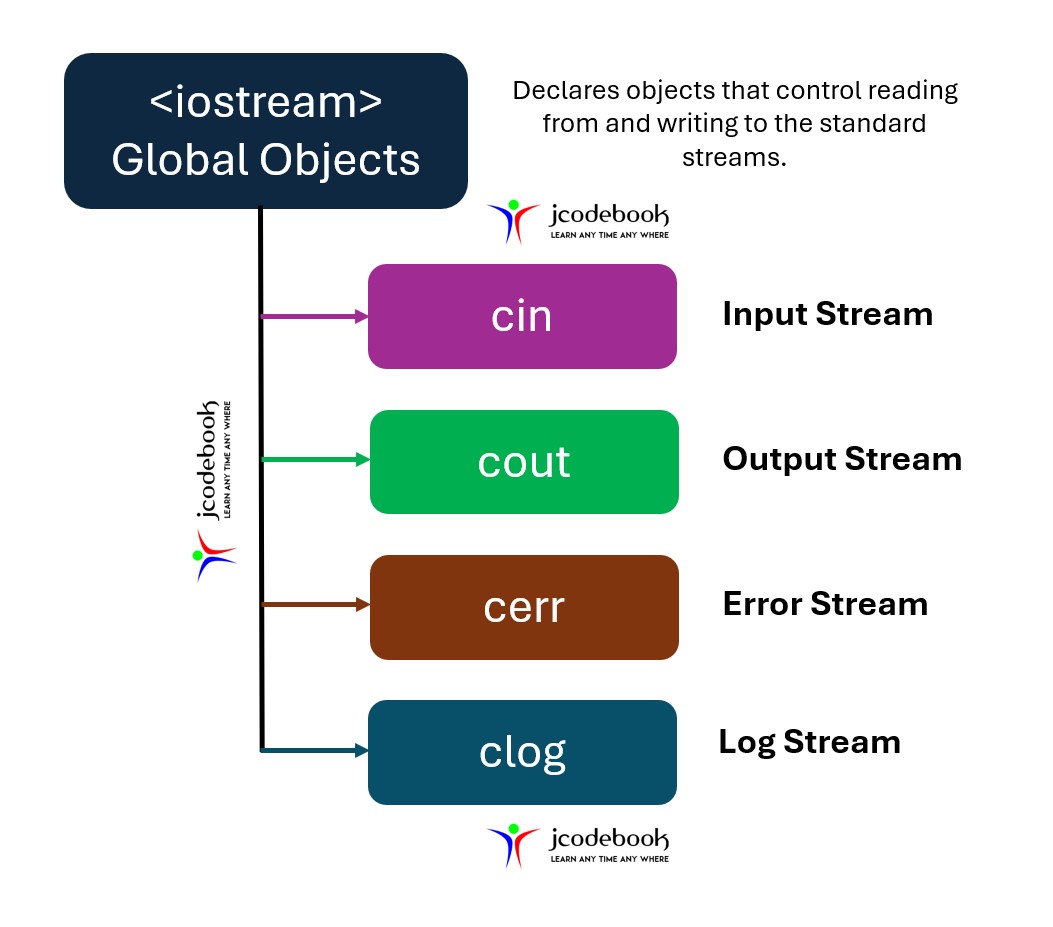
The directive
using namespace std;
The using statement informs the compiler that you want to use the std namespace. This is the namespace in which the entire Standard C++ library is declared.
Various program components, such as cout, are declared within this namespace. If we didn’t use the ‘using directive’, we would need to add the std name to many program elements.
For example, in the FIRST program, we’d need to say
std::cout << "Hello, World!" << endl;
Note: To avoid adding std:: dozens of times in programs, we use the using directive instead.
main function, which is the entry point for every C++ program.int before main indicates that this function returns an integer. In the context of the main function, returning zero typically signifies that the program executed successfully.{ }:main function. Everything between the opening ({) and closing (}) braces are part of the main function.cout is the standard character output stream in C++. It is used to write data to the console.<< operator is the stream insertion operator and is used to send data to the cout object."Hello, World!" is a string literal that gets sent to the standard output (typically the console).endl is a manipulator that inserts a new line character and flushes the stream. This results in moving the cursor to the next line on the console.
If you do not use the following directive
using namespace std;
Then the std:: before cout is required. For example, std::cout<<“Hello, World”;

The std namespace is defined in the <iostream> header file. The following code shows the definition of the std namespace in <iostream>.

main function and returns the value 0.
Good
You must be logged in to submit a review.


 Google