
Course:
Complete Java Programming Course


In this lesson, you will learn.
There are several ways to take input from users. Here’s a brief overview of the most common methods.
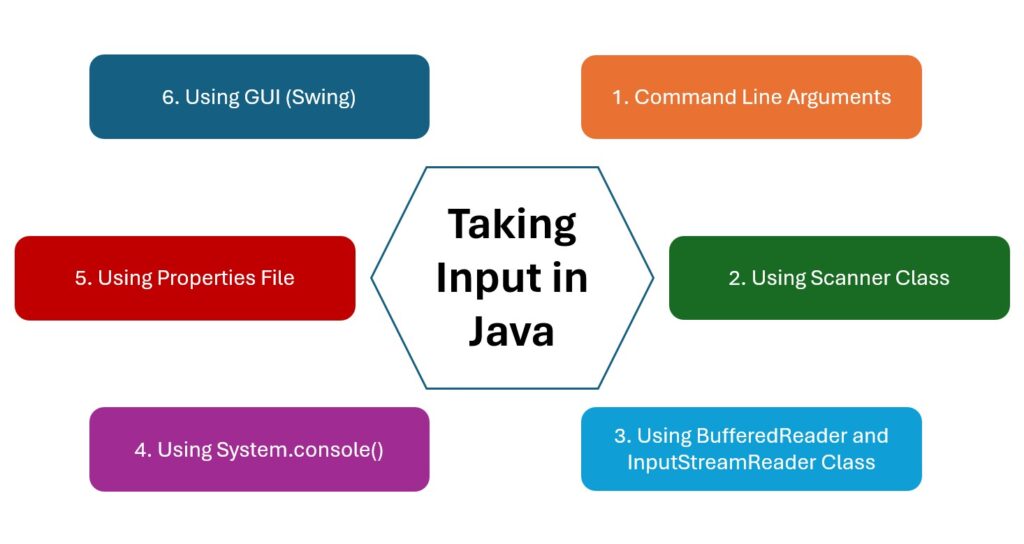
In this lesson, you will learn only command line arguments to take input from users.
String objects to the main method of the program.
In the main method signature public static void main(String[] args), the args is an array of String that stores the command-line arguments.
During program execution, the command-line arguments are provided after the class name.
For example:
java ClassName arg1 arg2 arg3
Here, arg1, arg2, and arg3 are command-line arguments and ClassName is the name of the main class.
public class Example1 {
    public static void main(String[] args) {
        if (args.length >= 1) {
            System.out.println("First Argument: " + args[0]);
            System.out.println("Length: " + args[0].length());
        } else {
            System.out.println("At least one argument is required.");
        }
    }
}
Execution: java Example1 Java
The argument “Java” is stored in a variable args[0].
Output
First Argument: Java
Length: 4
public class Example2 {
    public static void main(String[] args) {

        if (args.length >= 2) {
            String concatenated = args[0] + args[1];
            System.out.println("Concatenated String: " + concatenated);
        } else {
            System.out.println("Two arguments are required.");
        }
    }
}
Execution: java Example2 Hello World
Output
Concatenated String: HelloWorld
public class Example2 {
    public static void main(String[] args) {
        if (args.length >= 2) {
            int sum = Integer.parseInt(args[0]) + Integer.parseInt(args[1]);
            System.out.println("Sum: " + sum);
        } else {
            System.out.println("Two numeric arguments are required.");
        }
    }
}
Execution: java Example 10 20
The method parseInt() belongs to the Integer class under java.lang package. This method is used to convert a string value to an integer.
Output
Sum: 30
Explanation
Integer.parseInt(args[0]) and Integer.parseInt(args[1]):
args[0] and args[1] are the first and second elements of the args array.
Note: Similarly, we can use the parseDouble() and parseFloat() method to convert the string into double and float respectively.
Note: If the arguments cannot be converted into the specified numeric value then an exception named NumberFormatException occurs.
 Google